
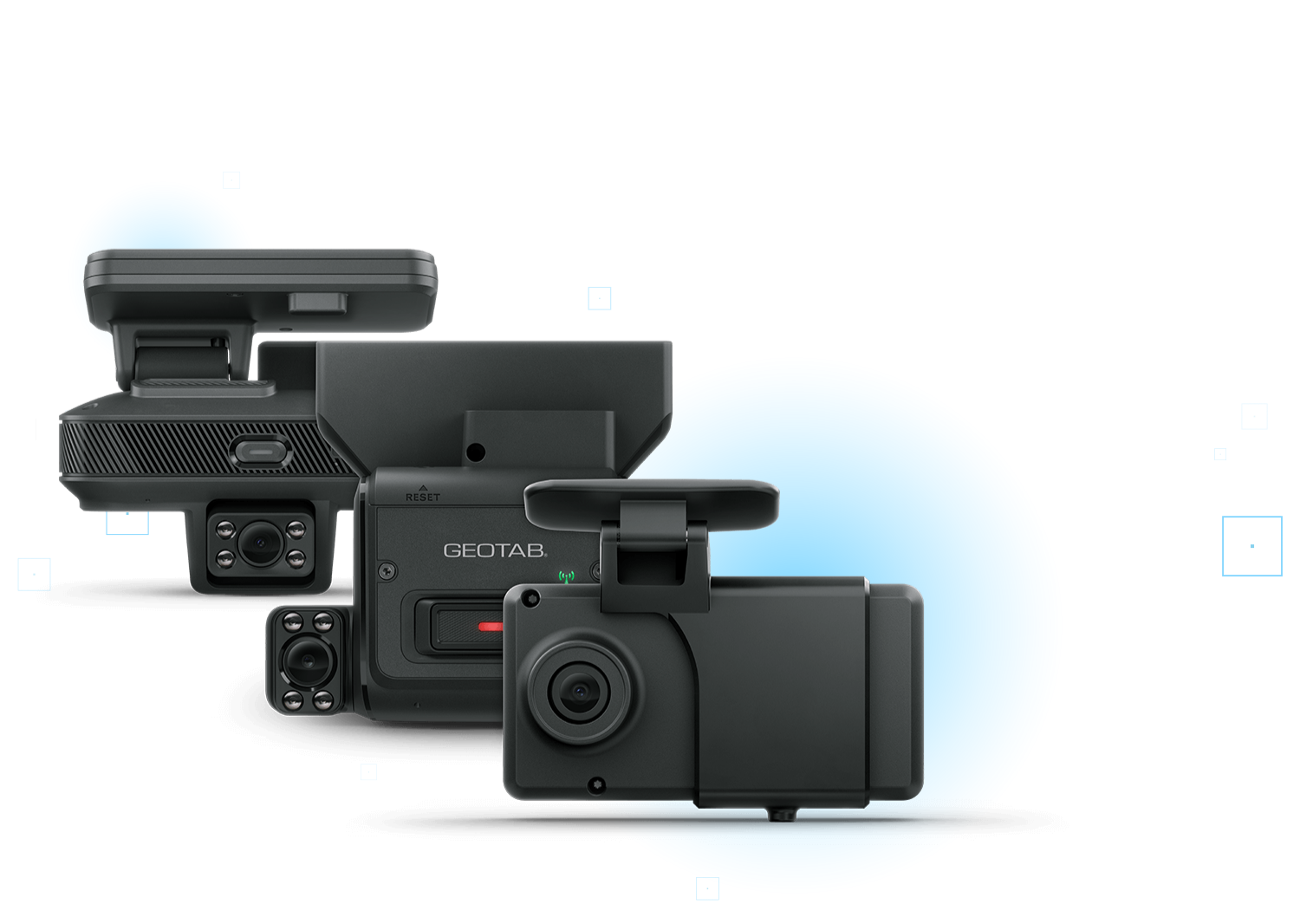
An all in one video telematics approach that helps fleets reduce risk, coach smarter, and see exactly what happened. Geotab GO Focus cameras pair road facing and optional driver facing video with vehicle data like speed and location, so every event has full context. Real time in cab voice alerts help prevent collisions, while AI based detection highlights what needs attention.
Fully integrated into the Geotab platform, video and telematics live in one system with unified safety reporting. AFS helps you deploy it correctly across vehicles and driver groups, turning insight into measurable safety improvement.
- Compact and rugged: AI dash cams specialized for diverse fleet needs.
- Video + telematics together: keep events, context, and workflows connected inside MyGeotab.
- Fast rollout: self-calibrating, straightforward installs when you plan the deployment well.
A dash cam to suit your fleet’s unique needs
Not every vehicle needs the same level of coverage. AFS helps you align the right camera to the right risk and privacy profile, so you get protection and coaching where it counts without creating unnecessary friction.
GO Focus
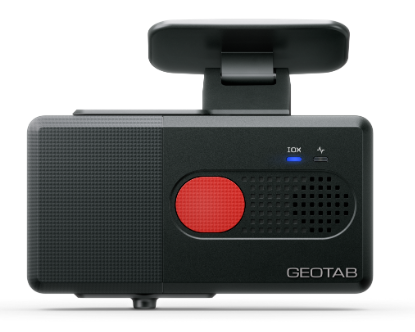
A road-facing option designed to support safety programs while keeping a privacy-forward approach by focusing recording on key events.
- Built for fleets that want strong incident context without over-collecting footage.
- Helpful for claims support, coaching conversations, and building trust with drivers.
- AFS helps you set event thresholds and policy so the program stays consistent across the fleet.
GO Focus Plus
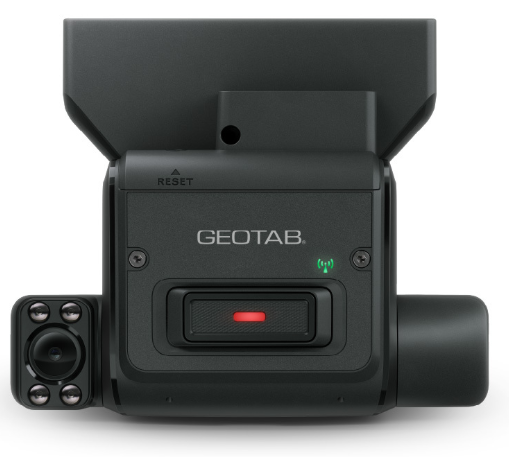
Designed for fleets that want more proactive coaching: in-cab voice alerts plus a workflow that helps managers focus on the most important events first. Road Only version available as well for increased privacy.
- In-cab verbal cues help drivers correct risky behavior in the moment.
- Event review is designed to prioritize urgent risk and repeated patterns.
- AFS helps you build a coaching cadence that’s fair, consistent, and sustainable.
GO Focus Pro
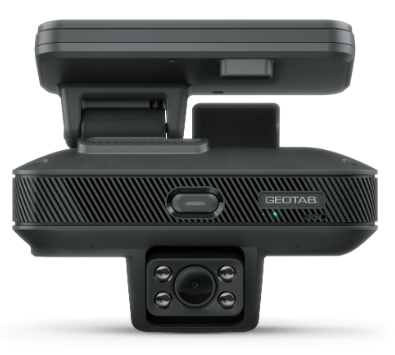
Built for fleets that need expanded visibility and higher-end models for complex operations, including better coverage around the vehicle.
- Designed for operations where blind spots, backing, docking, and tight spaces are common risk drivers.
- Pairs well with auxiliary camera strategies for broader visibility.
- AFS helps you map which units need “Pro-level” coverage and which do not.
How fleet dash cams work
The general workflow is simple: capture driving context, flag meaningful events, and make review/coaching faster by keeping video tied to trip data.
- Dash cam starts recording video. Geotab dash cams operate using power from vehicle batteries via a wired connection. Cameras will only start recording when a vehicle engine is turned on and in motion to avoid unnecessary battery drain.
- AI connected sensors capture risky driving events. HD footage is recorded constantly when a vehicle is in motion. Footage is captured day or night with infrared LEDs for clear quality video and wide angle lenses for both road facing and driver facing cameras.
- High-definition footage and alert data are saved to the cloud. Driver journey footage and alerting data are uploaded to the cloud, so fleet managers can view video and image data at any time.
- Fleet managers can easily review pictures and videos within MyGeotab. You’ll be alerted when video is available to watch and download on the MyGeotab platform. See HD dash cam footage alongside GPS data so you know who the driver was, how fast they were going and where they were located.
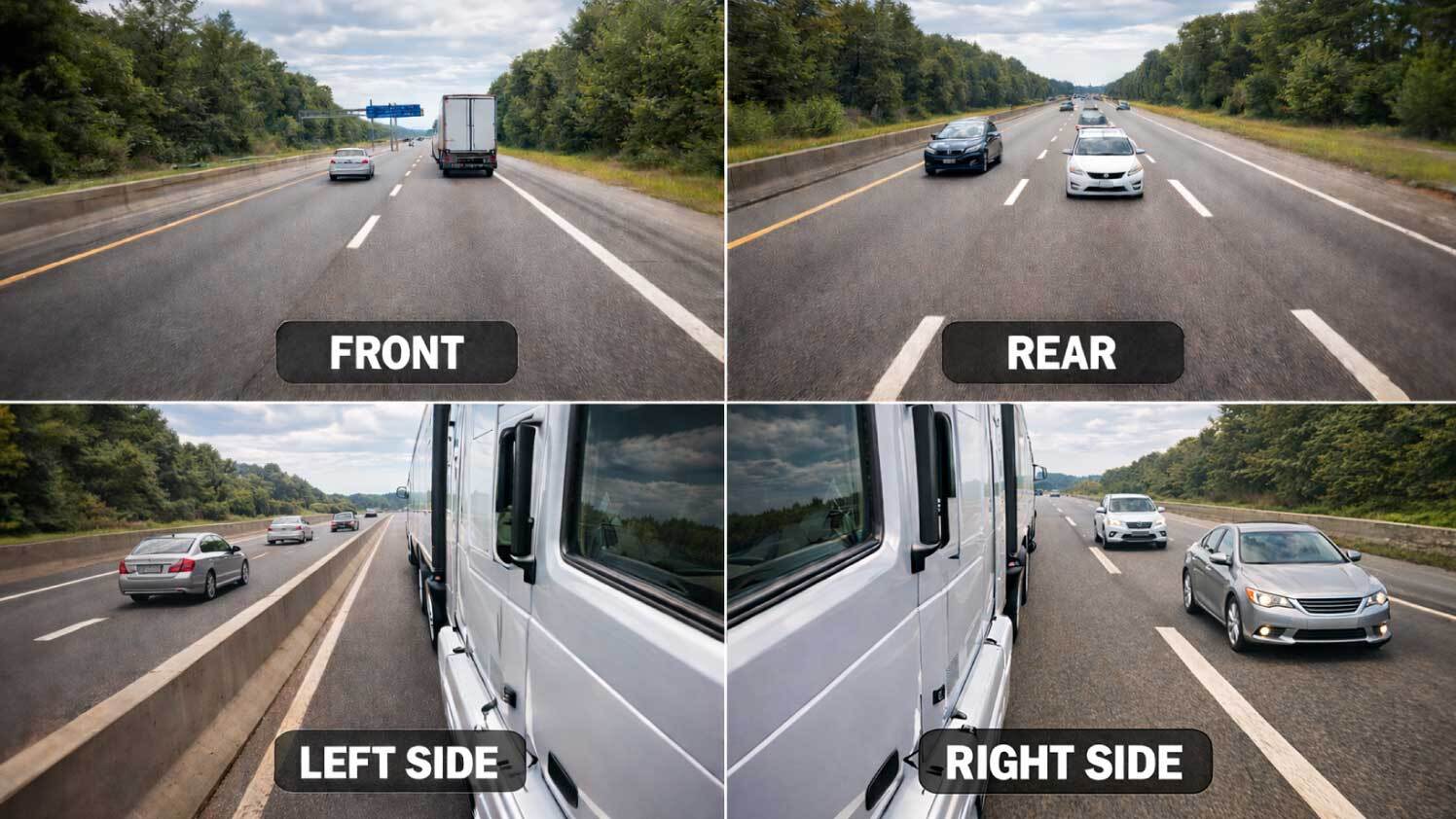
Expand visibility with auxiliary cameras
Auxiliary camera strategies can help reduce blind-spot risk and improve visibility around vehicles. For tight-space work, a low-latency display approach can provide immediate feedback to the driver.
The AFS difference
Hardware is the easy part. The hard part is getting adoption, reducing noise, and making review/coaching a habit. AFS helps you set:
- Driver communication + policy that reduces pushback and protects privacy expectations
- Event thresholds that capture the right moments without flooding managers
- A coaching cadence managers can actually maintain week after week
Which cameras are right for your fleet?
AFS will help you pick the right GO Focus model, configure events, and build a coaching workflow that sticks.